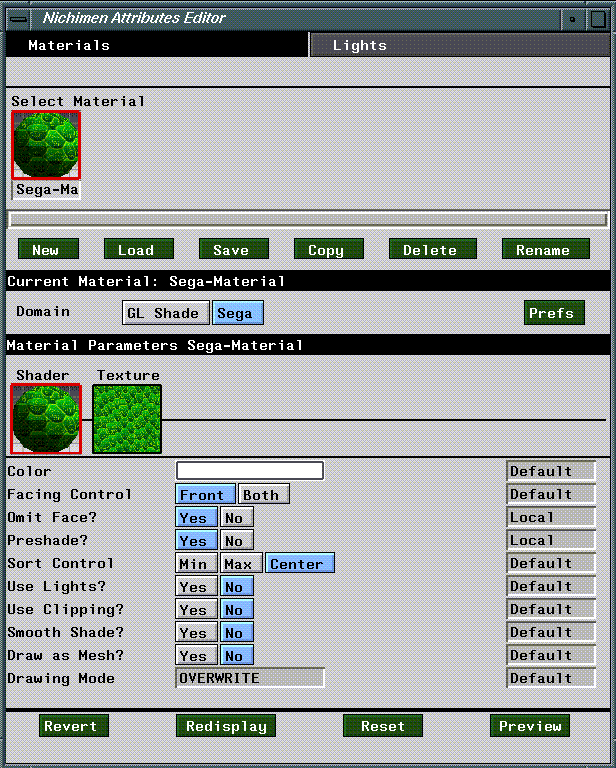
Figure 3.1 Attributes Editor menu for the Sega domain.
This chapter outlines briefly the attributes and parameters associated with the Sega domain in the N·World Attributes Editor.
The Sega domain contains attributes and parameters specifically designed for attributing objects to be displayed on the Sega Saturn. You should use the Sega domain for materials you define in the Attributes Editor and which you intend to use on the Saturn. This section is designed to provide a brief overview of the domain as a whole, and its interface in the Attributes Editor. Refer to the Attributes Editor Reference Guide for more information about attributes and materials in general.
The Sega Domain
Materials and Inheritance
Materials are groups of attributes which determine the appearance of an object in a rendered scene. In N·World, materials are separate data structures, which you must associate with objects using the Nichimen Browser. This system provides for enhanced flexibility, since you can define a single material and apply it to many objects. In object based systems, you must redefine object attributes for each object in a scene.
The Attributes Editor
You define materials using the Attributes Editor. To launch the Attributes Editor, (CLICK-L) on the Attributes button in the config bar.
Sega Domain Defaults
The following dialog appears when you (CLICK-L) on Prefs for the Sega Domain:
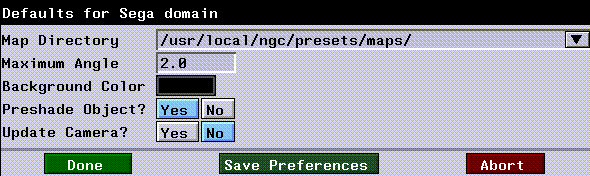
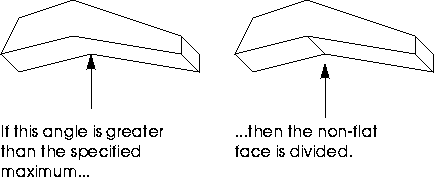
Maximum Angle
Background Color
Preshade Object?
Update Camera?
To save your defaults, (Click-L) on the Save Preferences button at the bottom of the window.
Sega Domain Shader Parameters
The Sega domain is divided into two sections; Shader parameters and Texture parameters. Shader parameters control how objects are rendered, while texture parameters affect the display and appearance of texture maps. To see Shader parameters, (CLICK-L) on the box under the word Shader in the Attributes Editor. Figure 3.1 shows what the Attributes Editor looks like in shader mode for the Sega domain.
The color attribute is used for two purposes in the Sega render domain:
Specifies whether or not to display vertices outside of a user-defined clipping area.
The smooth shade parameter selects either "color by vertex" or "color by face."
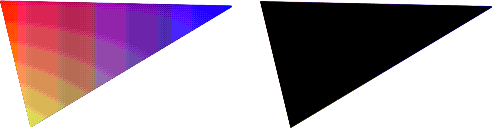
Figure 3.3 Color by vertex vs. color by face
Determines which of the various drawing modes available on the Sega Saturn is used to draw the face:
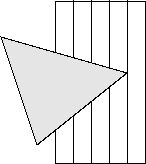
Figure 3.4 Overwrite drawing mode
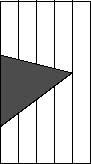
Figure 3.5 Shadow drawing mode
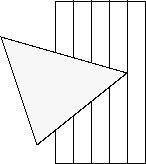
Figure 3.6 Semi-bright drawing mode

Figure 3.7 Semi-transparent drawing mode
Texture Map Parameters
Texture map parameters allow you to specify an image to use as a texture map, as well as control certain Sega specific aspects of the maps behavior. (CLICK-L) on the box under the word Texture to see Texture attributes in the Attributes Editor.
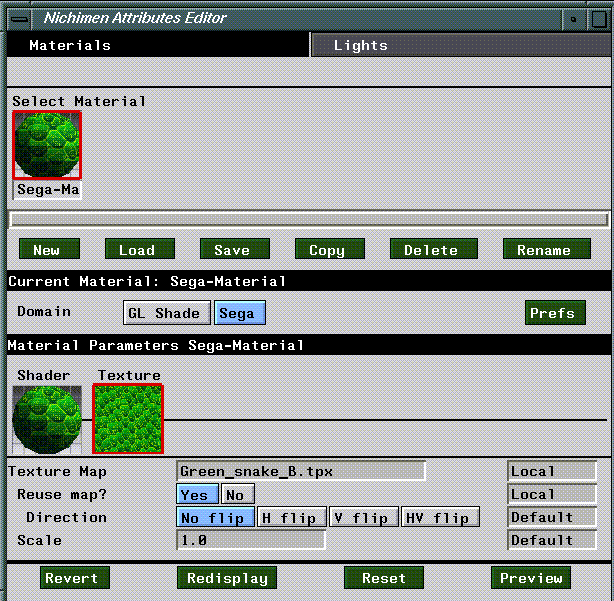
Reuse Map?
Only if a Texture Map is specified.
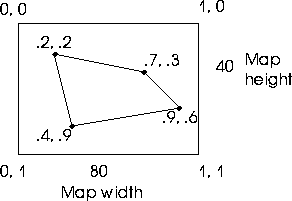
Figure 3.9 Scaling texture map
u(max) - u(min) = value x width = pixels applied in u
v(max) - v(min) = value x height = pixels applied in v
.7 - .2 = .5 x 80 = 40 pixels applied in u
.9 - .2 = .7 x 40 = 28 pixels applied in v
.7 - .2 = .5 x 80 = 40 x 2 = 80 pixels applied in u
.9 - .2 = .7 x 40 = 28 x 2 = 56 pixels applied in v
Sega Domain Commands
The four button along the bottom of the Attributes Editor allow you perform various operations on your attributes, or send objects to the Saturn
Redisplay
(CLICK-L) on Reset to reset the attached Saturn.
Preview
 Another fine product from Nichimen documentation!
Copyright © 1996, Nichimen Graphics Corporation. All rights reserved.